
How to Operate Bitwell Exchange (The "Mini Binance"): A Step-by-Step Guide for Beginners
Bitwell has rapidly gained attention in the cryptocurrency space as a platform often dubbed the "Mini Binance". This nickname stems from its interface similarity to Binance, combined with a focus on leveraged trading and derivatives. If you are wondering how to operate Bitwell Exchange, this guide breaks down the entire process, from registration to your first trade.
Step 1: Account Registration and Security Setup
To begin operating Bitwell, you must first create an account. Visit the official Bitwell website and click "Sign Up". You can register using an email address or a mobile phone number. After entering a secure password, you will be required to verify your account via a code sent to your email or SMS. Unlike some major exchanges, Bitwell generally allows basic trading with a simple email verification, but to increase withdrawal limits or access advanced features, you may need to complete identity verification (KYC). Immediately after logging in, navigate to the "Security" settings and enable Google Two-Factor Authentication. This is non-negotiable for protecting your funds, especially on a derivatives-focused exchange.
Step 2: Depositing Funds
Before you can trade on Bitwell, you need to deposit assets. The exchange primarily supports cryptocurrency deposits. Click on "Assets" or "Wallet" in the top menu, then select "Deposit". You will be provided with a specific deposit address for coins like USDT, BTC, or ETH. Most traders prefer to deposit USDT (Tether) as it is the base currency for most trading pairs.
Important Note: Bitwell does not typically support direct fiat currency deposits (like USD or EUR). You will need to purchase crypto from another platform (like Binance or Coinbase) and transfer it to your Bitwell wallet. Ensure you select the correct network (e.g., ERC-20, BEP-20, or TRC-20) when withdrawing from the external exchange to avoid losing funds.
Step 3: Navigating the Trading Interface
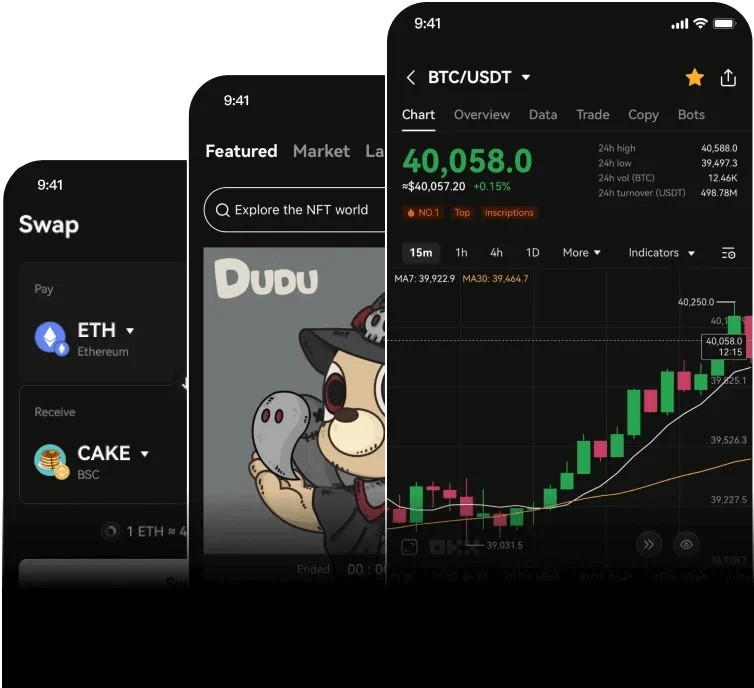
Bitwell's interface is designed to mirror the professional layout of Binance. The main screen is divided into three key sections:
- Left side: The price chart and order book.
- Right side: The trading pairs and recent trades.
- Bottom center: The order placement panel.
To operate effectively, familiarize yourself with the "Spot" and "Derivatives" tabs. Spot trading is straightforward buying and selling of crypto. However, Bitwell is known for its high-leverage derivatives. If you are new, start with the "Spot" mode. You can select a trading pair like BTC/USDT from the list on the right. The system will then display the current market price.
Step 4: Placing Your First Trade
There are three main order types you need to understand to operate Bitwell:
Market Order: Buy or sell instantly at the current best price. This is simple and fast but you might pay a slightly higher price due to slippage.
Limit Order: You set a specific price at which you want to buy or sell. For example, if Bitcoin is $60,000, you can set a limit buy at $58,000. The trade will only execute if the price drops to your level.
Stop-Limit Order: This is used to prevent losses. You set a stop price and a limit price. If the market hits the stop price, a limit order is triggered.
To trade, enter the amount in the "Price" and "Amount" fields, or use the percentage buttons (25%, 50%, 75%, 100%) to use a portion of your balance. Click "Buy BTC or "Sell BTC" to execute.
Step 5: Using Leverage (Derivatives)
The "Mini Binance" nickname is most relevant when discussing Bitwell's futures trading. To operate derivatives, switch from "Spot" to "Futures" or "Contract". Here, you can select your leverage multiplier (e.g., 5x, 10x, 50x, or even 100x).
Warning: Higher leverage increases both potential profit and risk. Always manage your risk by setting a "Take Profit" (TP) and "Stop Loss" (SL) order directly in the order panel. Never use leverage on money you cannot afford to lose. Bitwell provides a "Isolated Margin" mode (where risk is limited to that position) and "Cross Margin" (where your entire wallet balance is used as collateral). Beginners should stick to Isolated Margin.
Step 6: Withdrawing Funds
When you are ready to exit the exchange, go to "Wallet" and select "Withdraw". Enter the address of your external wallet (e.g., MetaMask or a hardware wallet). Double-check the address and the network you are using. Withdrawals often have a small fee and a minimum amount. For security, Bitwell may require a withdrawal confirmation via email or 2FA. Always perform a small test withdrawal first before sending large sums.
Conclusion: Tips for Operating Bitwell Safely
To operate Bitwell successfully, treat it with the same caution you would use on a larger exchange. The platform is fast and user-friendly, but it is a centralized exchange holding your private keys. Do not keep more funds on the exchange than necessary for active trading. Use strong passwords and 2FA. Keep up with their official announcements for any changes to fees or maintenance schedules. By following these steps, you can confidently navigate the "Mini Binance" and utilize its tools for trading crypto derivatives and spots.

发表评论